The viewer: parsbench view
Every evaluate() and score_traces() call records its run, full traces
included, into a project-local .parsbench/ store. The store is
self-gitignored plain files (run.json + events.jsonl per run), and the
viewer is a local web UI over it:
parsbench view
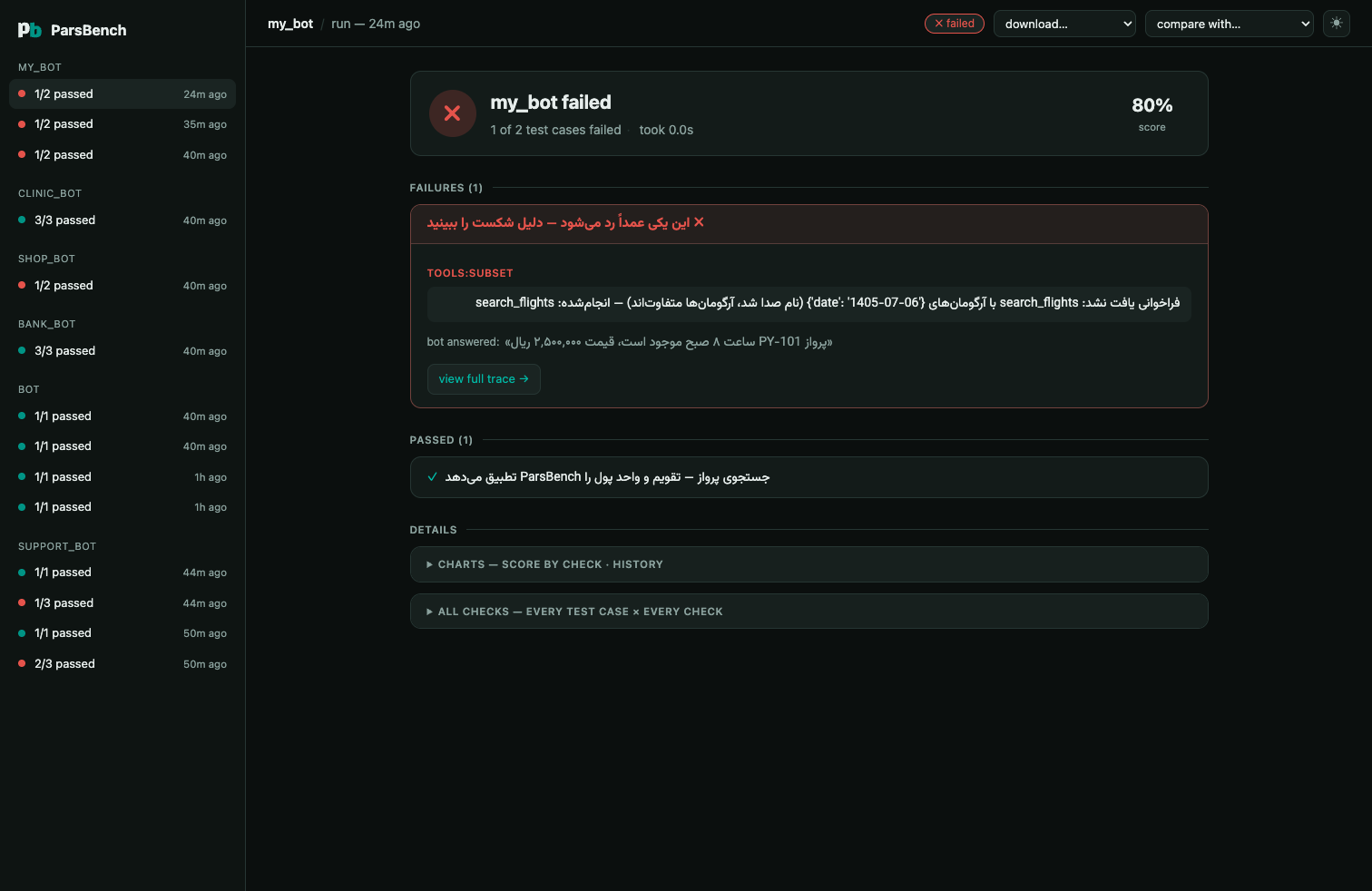
By default it serves 127.0.0.1:1404 (walking upward if the port is busy)
and opens your browser. Options:
parsbench view path/to/project     # a .parsbench store, or a directory containing one
parsbench view --port 8080
parsbench view --host 0.0.0.0      # e.g. to view from another machine
parsbench view --no-open
What you get
- Live runs. Runs stream into the UI while they execute; finished runs stay as the archive.
- A checks matrix: goldens × checks, failure-first, with the judge's Persian reasons one click away.
- Trace detail: messages, tool calls (arguments, results, errors), latency
and steps, plus per-run tabs when
n_runs > 1. - Simulation replay: the conversation as an RTL chat, with the goal and traps in play.
- Compare: pick a baseline run and see which goldens regressed and how each check's mean moved.
- Export: any run as JSON (full traces), CSV (one row per check, Excel-safe UTF-8), or a paste-ready Markdown report.
- Optional charts: score per check, and the app's score history across runs.
- Dark and light themes, toggled in the top bar.
The viewer has zero extra dependencies and no build step. It ships inside
the parsbench package.
Recording
Recording is on by default. Turn it off per call or globally:
evaluator.evaluate(bot, record=False)
export PARSBENCH_NO_RECORD=1 # e.g. in CI
Delete .parsbench/ whenever you like. It is only the viewer's data;
nothing else reads it.